

Introduction
Most stories don’t fail because of bad ideas. They fail because the scenes don’t work.
Scenes drag. Dialogue feels flat. Nothing really happens. And somehow, 2,000 words later, the story is still stuck in the same place.
That’s where Character AI becomes dangerously useful.
Instead of guessing how a scene should play out, you can run it, test it, break it, and rebuild it in real time.
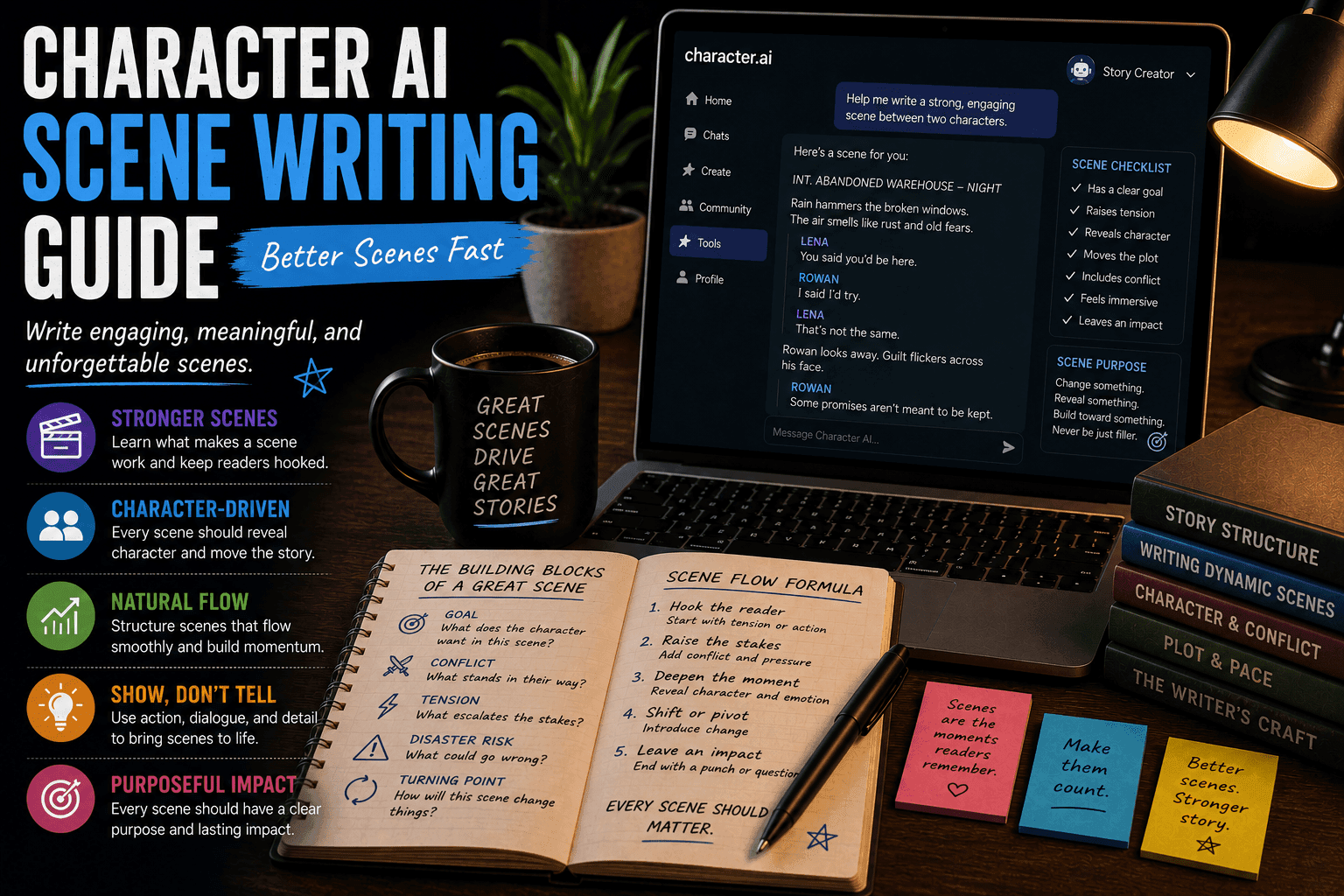
This guide shows you how to use Character AI to write stronger scenes faster, with better pacing, tension, and impact.
Character AI: What It Is, How It Works, and Why Millions Use It (Complete Guide)
What Is Scene Writing with Character AI?
Scene writing with Character AI means using interactive AI characters to:
- Build scenes through dialogue and action
- Test character reactions
- Explore different outcomes
- Improve pacing and emotional flow
Instead of writing everything from scratch, you simulate the scene and then shape it into polished writing.
Why Character AI Is Perfect for Scene Writing
1. Instant Interaction
Characters respond immediately, so scenes move faster.
2. Dynamic Dialogue
Conversations feel more natural and reactive.
3. Easy Experimentation
You can test multiple versions without rewriting everything.
4. Stronger Emotional Flow
Real-time responses create better tension and rhythm.
The Step-by-Step Scene Writing Workflow
Step 1: Define the Scene Goal
Every scene needs a purpose.
Ask:
- What changes in this scene?
- What does the character want?
- What conflict is present?
Weak Scene:
Characters talk with no outcome.
Strong Scene:
A character tries to achieve something and faces resistance.
Step 2: Set the Scene Context
Give the AI a clear setup.
Include:
- Location
- Characters involved
- Situation
- Stakes
Example:
“You are in a dim interrogation room. A suspect refuses to cooperate, and time is running out.”
Now the scene has direction.
Step 3: Create Character Prompts
Define how each character behaves.
Include:
- Personality
- Goals
- Tone
Example:
“You are a calm but manipulative suspect who avoids direct answers and enjoys psychological control.”
Now the interaction becomes interesting.
Step 4: Start the Scene Interaction
Begin naturally.
Example:
You: “Let’s stop wasting time.”
AI: “Then stop asking the wrong questions.”
Instant tension. No warm-up needed.
Step 5: Drive Conflict Forward
A scene without conflict is just noise.
Techniques:
- Apply pressure
- Introduce new information
- Force decisions
Example:
“We found your fingerprints.”
Now the stakes rise.
Step 6: Control Pacing
Good scenes have rhythm.
Adjust:
- Fast pace for tension
- Slow pace for emotional depth
Use shorter or longer exchanges accordingly.
Step 7: Add Turning Points
Scenes need shifts.
Examples:
- A secret is revealed
- A character changes strategy
- Power dynamics flip
These moments keep the scene engaging.
Step 8: Explore Alternate Versions
Don’t settle for the first run.
Try:
- Different dialogue approaches
- Alternate outcomes
- New emotional tones
This improves quality fast.
Step 9: Extract the Best Material
Save what works.
Keep:
- Strong dialogue
- Key reactions
- Emotional beats
Discard the rest.
Step 10: Rewrite into a Polished Scene
Now turn interaction into narrative.
Add:
- Description
- Internal thoughts
- Smooth transitions
This is where raw AI becomes real writing.
Example Scene Workflow
Goal:
Interrogation scene
Process:
- Set context
- Start dialogue
- Increase pressure
- Reveal key clue
- Shift power dynamic
Result:
A tense, structured scene with clear progression.
Advanced Scene Writing Techniques
1. Multi-Character Scenes
Simulate group interactions for complexity.
2. Subtext Writing
Create dialogue where meaning is implied.
3. Emotional Layering
Add hidden motivations beneath dialogue.
4. Scene Compression
Remove unnecessary lines to tighten pacing.
Common Scene Writing Mistakes
1. No Clear Goal
Scene goes nowhere.
2. Weak Conflict
No tension or stakes.
3. Overlong Dialogue
Drags pacing down.
4. No Turning Points
Scene feels flat.
Best Tools for Scene Writing
- Character.AI
- Janitor AI
- Tavern AI
Each allows interactive storytelling.
Final Thoughts
Character AI turns scene writing into an active process instead of a guessing game.
If you use it well, you’ll create:
- Faster scenes
- Stronger dialogue
- Better pacing
If you don’t, you’ll just generate long conversations that go nowhere. Which, to be fair, is already most writing online.
FAQs
Can Character AI help write scenes?
Yes, especially for dialogue and interaction.
Is this good for beginners?
Yes, it simplifies scene construction.
Should I use AI for every scene?
Not necessary, but helpful for difficult ones.
How do I improve scene quality?
Focus on conflict, pacing, and structure.
What’s the biggest benefit?
Speed and better interaction.
Conclusion
Character AI gives you a faster, more interactive way to build scenes that actually work. With the right workflow, you can write better scenes without getting stuck or overthinking every line.
And if your scenes are still boring after this… it’s not the tool anymore. It’s your choices.







