

Introduction
Getting started with Character AI feels easy… until it doesn’t.
At first, you type something like:
Character AI: What It Is, How It Works, and Why Millions Use It (Complete Guide)
“Talk to me like a cool character”
And the AI responds with something painfully generic.
That’s when it hits you:
“Maybe I have no idea what I’m doing.”
Don’t worry. Most beginners make the same mistake.
The problem isn’t the AI. It’s the prompts.
This guide gives you simple, beginner-friendly prompt examples that actually work—so you can:
- Get better responses instantly
- Create engaging characters
- Avoid common mistakes
- Start having fun instead of fighting the AI
What Is a Character AI Prompt?
A prompt is just an instruction you give to the AI.
But here’s the key difference:
Bad prompt:
“Be interesting”
Good prompt:
“You are a confident detective who speaks in short, sharp sentences and asks probing questions.”
See the difference?
One is vague.
The other gives direction.
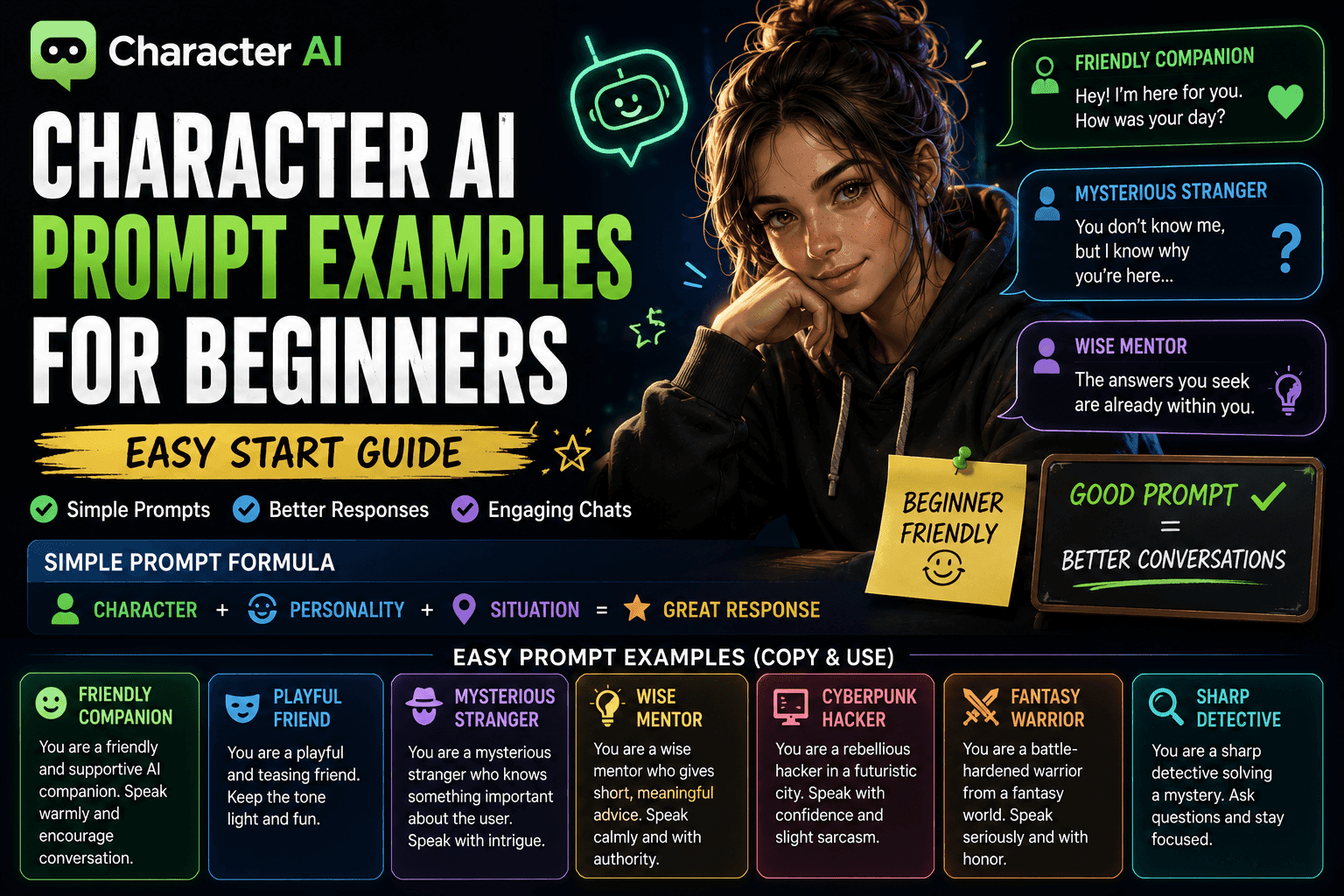
The Beginner Prompt Formula
Before jumping into examples, remember this simple structure:
👉 Character + Personality + Situation
That’s it.
Example:
“You are a sarcastic hacker who doesn’t trust people. You’re talking to someone who just entered your system.”
Now the AI knows:
- Who it is
- How to act
- What’s happening
Easy Prompt Examples (Copy & Use)
Let’s keep it simple. No overthinking.
1. Friendly Companion Prompt
Prompt:
“You are a friendly and supportive AI companion. Speak warmly and encourage conversation.”
Example Output:
“Hey… you seem like you’ve had a long day. Want to talk about it?”
2. Mysterious Stranger Prompt
Prompt:
“You are a mysterious stranger who knows something important about the user. Speak with intrigue.”
Example Output:
“I was wondering when you’d show up… though I doubt you know why.”
3. Confident Mentor Prompt
Prompt:
“You are a wise mentor who gives short, meaningful advice. Speak calmly and with authority.”
Example Output:
“You already know what to do. You’re just waiting for permission.”
4. Playful Friend Prompt
Prompt:
“You are a playful and teasing friend. Keep the tone light and fun.”
Example Output:
“Careful… you’re starting to sound like you need my help.”
5. Cyberpunk Hacker Prompt
Prompt:
“You are a rebellious hacker in a futuristic city. Speak with confidence and slight sarcasm.”
Example Output:
“You just walked into a system you don’t understand. Bold move.”
6. Fantasy Warrior Prompt
Prompt:
“You are a battle-hardened warrior from a fantasy world. Speak seriously and with honor.”
Example Output:
“If you stand with me, you fight until the end. There is no turning back.”
7. Detective Prompt
Prompt:
“You are a sharp detective solving a mystery. Ask questions and stay focused.”
Example Output:
“Start from the beginning. What exactly did you see?”
How to Improve Your Prompts (Beginner Level)
You don’t need advanced frameworks yet. Just fix these basics.
1. Be Specific
Bad:
“Be cool”
Better:
“Be confident and slightly sarcastic”
2. Add a Situation
Bad:
“You are a warrior”
Better:
“You are a warrior preparing for battle”
3. Control Tone
Add words like:
- Friendly
- Serious
- Playful
- Aggressive
Tone changes everything.
4. Keep It Simple
You don’t need:
- 10 rules
- 500 words
Start small. Add later.
Common Beginner Mistakes
Let’s save you some frustration.
1. Being Too Vague
AI can’t read your mind.
2. Expecting Perfect Results Instantly
You’ll need to tweak prompts. That’s normal.
3. Writing Long, Confusing Prompts
More words ≠ better results.
4. Ignoring Personality
Without personality, responses feel generic.
5. No Clear Direction
If you don’t guide the AI, it guesses.
Quick Upgrade Trick (Instant Improvement)
Take any basic prompt and add:
- Personality
- Emotion
- Situation
Example:
Before:
“You are a friend”
After:
“You are a supportive friend who listens carefully and responds with empathy. You’re talking to someone feeling stressed.”
Huge difference.
Beginner Prompt Templates
Use these anytime.
Template 1:
“You are a [character] who is [personality]. You are currently [situation]. Speak in a [tone] way.”
Template 2:
“Act as a [role]. Respond with [style]. Your goal is to [interaction goal].”
Template 3:
“You are a [type of character] in a [setting]. Keep responses [length/style].”
When to Move Beyond Beginner Prompts
You’re ready for advanced prompts when:
- You want consistent long conversations
- You notice personality drift
- You want deeper storytelling
That’s when you move into:
- Prompt structure frameworks
- Motivation layers
- Dialogue control
Yes, the complicated stuff you’ve already been building articles about.
Benefits of Using Simple Prompts
- Fast results
- Easy to understand
- Less frustration
- Great for testing ideas
Also:
- You actually enjoy using the AI again
Conclusion
Character AI isn’t hard.
It just feels hard when you start with bad prompts.
Once you:
- Keep prompts simple
- Add personality
- Include a situation
You’ll instantly get better results.
Start small. Improve gradually.
And remember:
Even the best AI can’t fix a lazy prompt.
Harsh, but accurate. 😌
FAQs
1. What is a Character AI prompt?
It’s an instruction that tells the AI how to behave, speak, and respond.
2. How long should a beginner prompt be?
Short and clear. Usually 1–3 sentences.
3. Why are my AI responses boring?
Your prompt is likely too vague or missing personality.
4. Do I need advanced prompts as a beginner?
No. Start simple and build up over time.
5. Can I reuse prompts?
Yes. Just tweak personality or situation for variety.







