Quick Summary
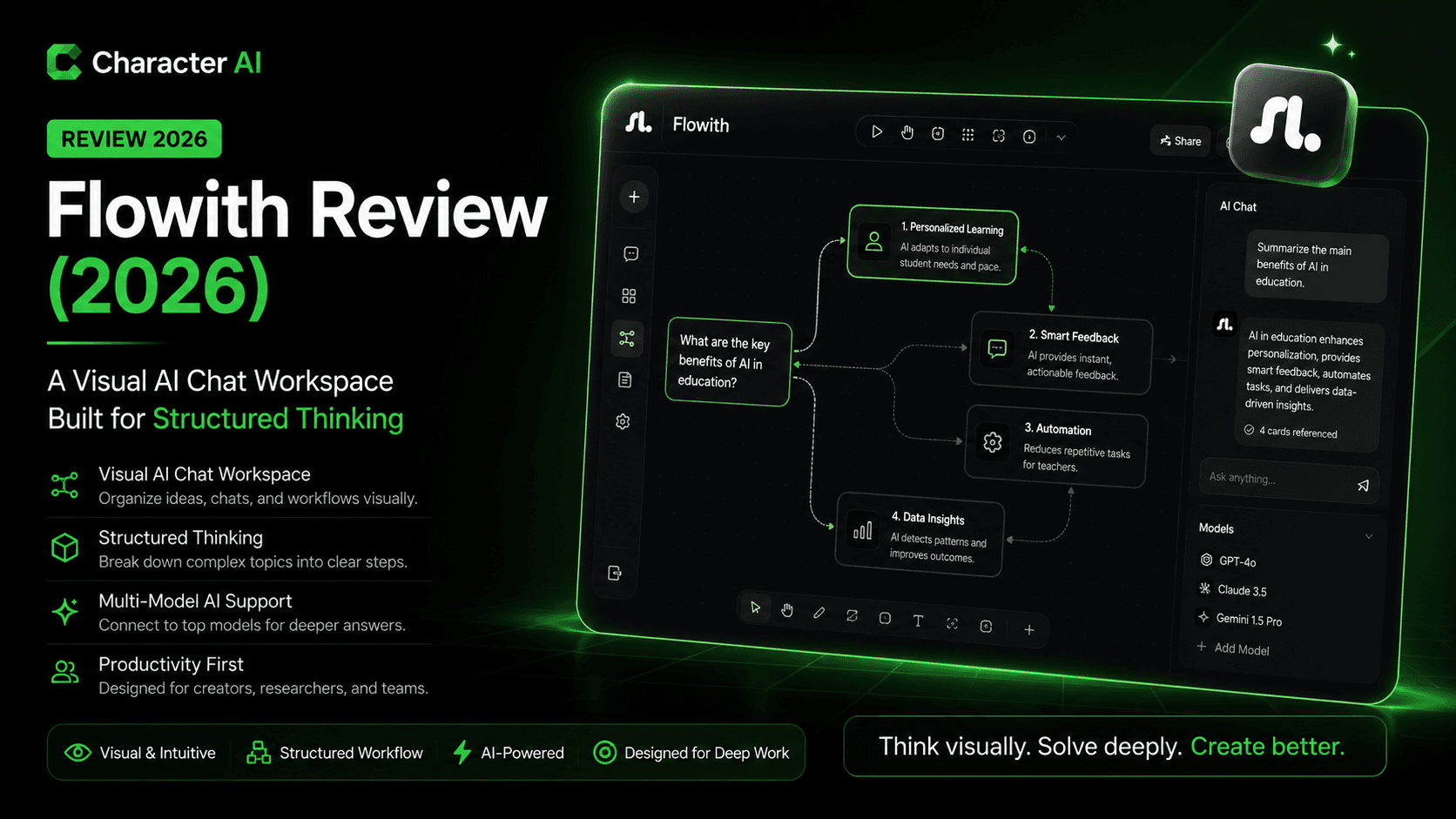
Flowith takes a very different approach to AI chat—less like a linear conversation, and more like a visual thinking canvas.
Instead of scrolling through endless messages, Flowith lets you build branching conversations, structured workflows, and idea trees, making it feel closer to tools like Notion or Miro than traditional chatbots.
Best for:
- Researchers
- Knowledge workers
- Strategy and planning workflows
Key takeaway: Flowith is powerful for organizing complex thinking, but it’s not ideal if you just want quick answers.
Verdict: A niche but compelling AI tool—excellent for structured workflows, less suited for casual chat.
Flowith Overview
Flowith is an AI chat platform designed around non-linear conversations. Instead of a single chat thread, you create nodes and branches, allowing you to explore multiple ideas simultaneously.
This makes it particularly useful for:
- Multi-step reasoning
- Research workflows
- Brainstorming with structure
It sits in a unique category between:
- AI chat tools (like ChatGPT)
- Knowledge tools (like Notion-style workspaces)
Core Features & Capabilities
1. Visual Conversation Canvas
Flowith replaces linear chat with a node-based interface:
- Each message becomes a node
- You can branch conversations
- Ideas can evolve in parallel
This is its defining feature—and biggest differentiator.
2. Branching Workflows for Deep Thinking
Instead of rewriting prompts, you can:
- Fork a conversation
- Explore alternative directions
- Compare outputs side-by-side
This is extremely useful for:
- Strategy exploration
- Content ideation
- Decision-making
3. Persistent Context & Organization
Flowith allows you to:
- Keep related ideas grouped
- Build structured knowledge maps
- Avoid losing context across long sessions
Compared to traditional chat tools, it reduces:
- Repetition
- Context loss
- Prompt rewriting
4. AI-Assisted Content Generation
Like other AI chat tools, Flowith supports:
- Writing
- Summarization
- Idea generation
However, its strength isn’t raw output quality—it’s how outputs are organized and reused.
5. Workspace-Oriented Experience
Flowith feels closer to:
- A project workspace
- A thinking tool
- A research environment
…than a simple chatbot.
Real-World Use Cases
Flowith works best for:
- Research projects with multiple threads
- Content planning and ideation trees
- Strategy mapping
- Learning complex topics
- Product thinking and brainstorming
Less ideal for:
- Quick answers
- Casual chat
- Fast content generation
Rating Snapshot (AI Chat / Workspace Tool)
| Category | Rating |
|---|---|
| Workflow Innovation | ⭐⭐⭐⭐⭐ (4.8/5) |
| Ease of Use | ⭐⭐⭐⭐☆ (4.2/5) |
| Content Quality | ⭐⭐⭐⭐☆ (4.3/5) |
| Organization & UX | ⭐⭐⭐⭐⭐ (4.7/5) |
| Value for Money | ⭐⭐⭐⭐☆ (4.2/5) |
Overall Score: ⭐⭐⭐⭐☆ (4.4/5)
Flowith scores highest in workflow design and organization, not raw AI performance.
Pricing Snapshot
| Plan | Ideal For | What You Get |
|---|---|---|
| Free Plan | Exploration | Limited projects and usage |
| Paid Plans | Professionals & teams | More nodes, advanced features, higher limits |
Pricing Insight: The value depends heavily on how much you use structured workflows. Casual users may not benefit as much.
Disclaimer: Pricing may change over time. Check Flowith’s official site for updates.
Pros & Cons
Pros
- Unique visual chat interface
- Excellent for structured thinking
- Reduces context loss
- Great for complex workflows
Cons
- Learning curve vs traditional chat
- Not ideal for quick tasks
- Output quality depends on underlying AI
- Niche use case
Flowith vs Traditional AI Chat Tools
Compared to tools like:
- ChatGPT → Faster, simpler, more versatile
- Claude AI → Better long-form reasoning
- Notion AI → More document-focused
Positioning:
- Flowith = structured thinking + visual workflows
- Others = linear chat + output generation
Final Verdict
Flowith isn’t trying to replace ChatGPT or Claude—it’s redefining how you interact with AI.
If your work involves:
- Complex ideas
- Multi-thread thinking
- Research-heavy workflows
…it offers a genuinely better experience.
But if you just want:
- Fast answers
- Simple chat
- Quick outputs
…it may feel unnecessarily complex.
FAQs
1. What is Flowith used for?
Flowith is used for structured AI conversations, research workflows, and visual idea organization.
2. How is Flowith different from ChatGPT?
Flowith uses a visual, branching interface, while ChatGPT uses a traditional linear chat format.
3. Is Flowith good for beginners?
It has a learning curve, so it’s better suited for users comfortable with workflow tools.
4. Can Flowith replace traditional AI chat tools?
Not entirely—it complements them rather than replaces them.
5. Who should use Flowith?
Researchers, strategists, and knowledge workers who need structured thinking tools will benefit most.